


MouseJack Setup
This blog will focus on setting up MouseJack on the Crazyradio by flashing the firmware. Inorder to do this follow the steps below.
The hardware required is a Crazy Radio – $28 - $35 USD
Go to github: https://github.com/BastilleResearch/mousejack/
***Please see the Bastille github pages for the latest release and updates related to MouseJack Research and installation documentation.
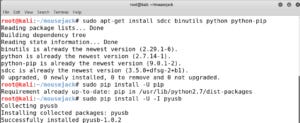
The First steps are Install dependencies on Ubuntu:
sudo apt-get install sdcc binutils python python-pip
sudo pip install -U pip
sudo pip install -U -I pyusb
sudo pip install -U platformio

The following hardware has been tested and is known to work and is the current supported hardware list at the time of this blog.
*CrazyRadio PA USB dongle (We are using CrazyRadio for this test)
SparkFun nRF24LU1+ breakout board
Logitech Unifying dongle (model C-U0007, Nordic Semiconductor based)
Second step is to initialize the Submodule:
git submodule init
git submodule update


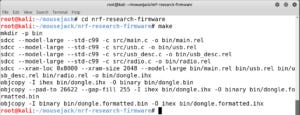
Third step is to Build the fireware:
cd nrf-research-firmware
make
Fourth step is to Flash over USB:
nRF24LU1+ chips come with a factory programmed bootloader occupying the topmost 2KB of flash memory. The CrazyRadio firmware and RFStorm research firmware support USB commands to enter the Nordic bootloader.
Dongles and breakout boards can be programmed over USB if they are running one of the following firmwares:
Nordic Semiconductor Bootloader
CrazyRadio Firmware
RFStorm Research Firmware
To flash the firmware over USB:
cd nrf-research-firmware
sudo make install


To get additional information on MouseJack capabilities and tools visit the github listed above.
Once your CrazyRadio PA is ready, you can launch JackIt via:
sudo jackit
JackIt Setup—
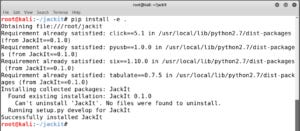
After installing the firmware, you can install JackIt via:
git clone https://github.com/insecurityofthings/jackit.gitcd jackitpip install -e .

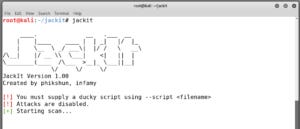
Once your CrazyRadio PA is ready, you can launch JackIt via:
sudo jackit
Prt.3 – How to Attack Vulnerable Peripherals with MouseJacking! - (Coming Soon!)
Published by @portslug & @Wolfe409
References:
Comments
Join the discussionNo comments yet. Be the first to comment.


